What is the difference between a tax lien and a tax deed?
A tax lien is a debt or encumberance against a property for failure to pay taxes. An investor may purchase a tax lien certificate and pay the local government its taxes allowing the county, city and school districts to continue operating. In exchange, the investor will earn a fee or interest rate on the amount of money invested. The fee is ultimately paid by the property owner or other business with an interest in the property. In the event that a tax lien debt is not paid within the prescibed amount of time, the investor may foreclose on the property and take ownership. Each state is different in its methodology.
A tax deed is actual ownership or title to a property. This happens either by an investor foreclosing on the property or by the local government, usually the county, foreclosing on the lien that they have placed on a property. About half of the States operate tax deed or tax foreclosure sales and sell the actual ownership rights to the property at auction. The minimum bid starts out at the taxes owed plus fees and penalities necessary to foreclose on the property.
Can anyone buy tax lien certificates?
Yes, if you have the money you can buy the certificate. There are a few exceptions to this rule. In many states, if you live in the same state where you are bidding, your own property taxes must be paid in full before you can bid on other properties. In some cases, especially at tax deed sales, large institutions may be the first allowed bidders. And finally, some states require the bidder to have a social security number or federal tax I.D. number.
Will you get ownership of the property?
When you are buying tax lien certificates, less than five percent of all delinquent property owners foreclose. So it is rare that you will need to foreclose on a tax lien certificate. However, if you are buying a tax deed, you will be taking possession of the property and you will get ownership of the property.
Is there a limit on the number of tax lien certificates you can buy?
In most cases you can buy as many certificates as you can afford. There are a few counties that set limits, but those are rare.
After you buy a tax lien certificate, when do you get your money back plus interest?
You will get your money back when the delinquent property owner pays his/her back taxes. This could take a month or several years. If the owner does not pay the back taxes within the redemption period, you will not get your money back until you foreclose on the property, and then you will get the property (versus your investment plus interest). The average time to get your money back is around six months to a year. Once the property owner realizes that the clock is ticking and the final bill is growing, something usually happens. After the property owner pays the taxes and penalties owed, you will get a check from the county after you send your tax lien certificate back. This is called redeeming your tax lien certificate.
What if you want to own property?
If your goal is to take property ownership, attend tax deed sales. Less than five percent of all tax lien certificates eventually lead to foreclosure.
What happens if the delinquent taxpayer does not pay the back taxes owed on the certificate you hold, and a year goes by and more taxes are due?
You can purchase another tax lien certificate on the same property the next year if you can pay the back taxes due. Otherwise, another bidder can purchase a tax lien certificate on that property. In some states, your tax lien would then be redeemed by the new tax lien investor. In other states, two tax liens can be held by separate investors. The best idea is usually to pay for the subsequent taxes owed. In certain states like New Jersey, you even receive the full the interest for subsequent taxes even if you bid the interest rate down on the primary taxes.
Can someone else bid for you at the auction?
It depends on the state. In some states, you can have someone else act as an agent for you and bid on properties. In other states, you must be there in person to bid.
Can you buy tax lien certificates without going to the auction?
In many states you can. Tax lien certificates that are not sold at the public auction can often be purchased by mail (these are normally called Over-the-counter sales lists). Be a little careful doing this, especially if you have never seen the property. There are also some counties that are conducting online auctions.
Can you transfer a tax lien certificate to someone else?
In most states you can transfer a tax lien certificate to anyone you want. There may be a small fee involved. The process is called assignment.
What is the best type of property to bid on?
In most cases, especially for beginners, it is best to bid on residential property, whether it is improved or unimproved. Improved land (e.g., with a house or structure on it) has less risk than unimproved land (vacant land). The latter is more risky, especially in terms of marketability. Commercial property has more risk than residential property and should only be considered by experienced investors. If you are interested in income from the property, then improved land (e.g., with a house you can rent) is your best bet; however, the competition for improved land is usually more fierce and there will be fewer of these properties available.
Can you lose money buying tax lien certificates?
Investing in tax lien certificates is extremely safe. Government entities (e.g., counties, municipalities) handle the sales and liens are backed by real estate, which has been relatively stable in the United States. However, there are a few scenarios where you could lose money. Here are two examples:
You purchase a tax lien certificate during an auction and the interest rate gets bid down to a very low amount. Then the owner of the property pays their back taxes very quickly and the tax lien certificate gets redeemed in less than a month after the auction. When you combine the fees you paid to buy the certificate and travel costs, you could lose some money. You can avoid this problem if you do not get involved in a bidding war. If there are a lot of bidders, go to another sale or wait until the sale is about over and most people have gone home. You can also go to a county where there is less competition. Another alternative is to buy tax lien certificates over the counter, where you will not have any competition.
You did not do your homework and the property you purchased the tax deed to has environmental problems. This situation can be avoided if you focus on residential properties and make sure you drive by the property before you bid. Many states do not want you to have a bad experience, so they will often tell you if a property could have problems. If you are the tax lien certificate holder for this property, in most cases you will not have to foreclose on the property if the owner doesn’t redeem the back taxes. You may simply let the lien expire (you would lose your original investment, however).
Is Fair Market Value (FMV) determined by the county tax assessor and provided for each property in the tax sale list. Is the FMV just the value that it should get on the open market, or are any existing liens/mortgages deducted?
Fair Market Value is the tax assessor's determination of what a property is worth. Depending on how often the appraiser updates the FMV and how advanced the appraisal department is, the FMV may or may not represent true value. For example, a house that has gone into disrepair because of the owner's neglect could be worth less. On the other hand, we have seen properties that would fetch a much higher price than what the county appraised it at. It is a good starting point, but you should do your own research and verify the number. FMV has nothing to do with mortgages or liens.
What happens to the original mortgage on the home when you foreclose on it?
The mortgage company is like an owner of the property. They receive notification of the taxes due, and can redeem the taxes to avoid foreclosure. If the property goes through tax foreclosure (i.e., to deed), you own the property. However, in some states there is a legal period following foreclosure during which the previous owner (or mortgage company, lien holder, etc.) can challenge the sale. Otherwise, tax foreclosure wipes out the mortgage and most other liens, except federal IRS liens and county or city assessments. In New Mexico, mortgage liens may not be extinguished. In Pennsylvania, mortgage liens are not extinguished on properties sold at the Upset Price Sale. Properties not sold at the Upset Price Sale are auctioned again, free and clear of liens (including the mortgage), at the Judicial Sale.
Will you be able to rent property during the period in which the deed sale can be legally challenged?
Yes, you will be able to rent the property as long as you are the legal deed holder.
When can you start the eviction process if the owner does not leave the property?
Once you have your deed in hand and it has been recorded with the county, you can start the eviction process. Check with the sheriff's office for more details.
How can you find out how many bedrooms and bathrooms the house has or what the square footage is?
This information is available from the county assessor's office. The assessor has to base real estate taxes on the value of the house, which includes the number of bedrooms, square footage, etc. Where we live the county sends out an annual tax appraisal with all of that information, including comparisons to other properties.
Once you get the deed to the property, will you be able to take out a loan on that house, or will you have to clear the title first?
You generally will need to clear title before you can take out a loan. If there is a legal challenge period following foreclosure, during which the previous owner or other interested party can challenge the tax sale, you will normally have to wait for that period to expire before you can clear title. In California, for example, the legal challenge period is one year; in Arkansas it is two years. Usually counties/states advise that you not make any major improvements to the property during this time period.
What is the bidding process at tax lien sales?
In some states you will be bidding the interest rate down (e.g., Illinois, Arizona). The person willing to accept the lowest interest rate is the winning bidder. In other states (e.g., Missouri), bidding begins at the minimum bid set, and the price is bid up. The winning bidder is willing to pay the most. These two procedures are combined in New Jersey, where premium bidding (bidding a minimum bid up) begins once the interest rate reaches zero percent. Nebraska has a round robin procedure in which the properties are offered to everyone in turn, and the bidder can either accept a property as it comes up or decline it.
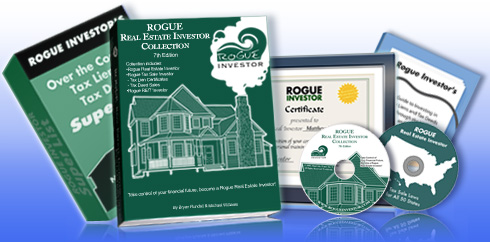
Thanks for reading through some of the most frequently asked questions. The Rogue Real Estate Investor Collection and Tax Liens Unleashed (2012) answers all of these questions and more than 50 others, such as
- Which state has the highest interest rate?
- Which state has the shortest redemption period?
- How you can easily do the research?
- IRS liens?
- Whether mortgages can be erased by a tax lien... is that true?
- Whether it is really possible to buy tax liens using an IRA?
- What if I live in outside the United States, can I buy tax liens?
Try the tax lien onine course, 800-page manual and phone and email support with a money back guarantee (see details or call 913-777-9779).
|

 (http://www.rogueinvestor.com) Copyright 2000 - 2024